Desktop/Mobile — Tauri
These are the steps to set up and run a Crux app as a desktop (and mobile) application using Tauri. Tauri uses a native webview to render the UI, with a Rust backend — making it a natural fit for Crux.
This walk-through assumes you have already added the shared library to your repo, as described in Shared core and types.
Tauri apps have a Rust backend (where the Crux core lives) and a web frontend (React, in this example). Because the core runs directly in the Rust backend process, there is no need for WebAssembly or FFI — the shell calls the core directly and communicates with the frontend via Tauri's event system.
Create a Tauri App
Install the Tauri CLI if you haven't already:
cargo install tauri-cli
Create a new Tauri app. Tauri's init command will scaffold the project
structure for you — choose React as the frontend framework.
cargo tauri init
Project structure
A Tauri project has two parts:
src-tauri/— the Rust backend, where the Crux core livessrc/— the web frontend (React + TypeScript in this example)
Backend dependencies
Add the shared library and Tauri to your src-tauri/Cargo.toml:
[package]
name = "counter_tauri"
version = "0.1.0"
authors.workspace = true
repository.workspace = true
edition.workspace = true
license.workspace = true
keywords.workspace = true
rust-version.workspace = true

[lib]
name = "tauri_lib"
crate-type = ["staticlib", "cdylib", "rlib"]

[build-dependencies]
tauri-build = { version = "2.6.3", features = [] }

[dependencies]
shared = { path = "../../shared" }
tauri = { version = "2.11.5", features = [] }

[features]
custom-protocol = ["tauri/custom-protocol"]

[lints.rust]
unexpected_cfgs = { level = "warn", check-cfg = [
    'cfg(mobile)',
    'cfg(desktop)',
] }
Frontend dependencies
Your package.json should include the Tauri API package for communicating
between the frontend and backend:
{
  "name": "tauri",
  "private": true,
  "version": "0.0.0",
  "type": "module",
  "scripts": {
    "dev": "vite",
    "build": "tsc && vite build",
    "preview": "vite preview",
    "tauri": "tauri",
    "postinstall": "mkdir -p dist"
  },
  "dependencies": {
    "@tauri-apps/api": "^2.11.1",
    "react": "^19.2.8",
    "react-dom": "^19.2.8"
  },
  "devDependencies": {
    "@tauri-apps/cli": "^2.11.4",
    "@types/node": "^25.9.5",
    "@types/react": "^19.2.18",
    "@types/react-dom": "^19.2.4",
    "@vitejs/plugin-react": "^6.0.5",
    "typescript": "^6.0.3",
    "vite": "^8.2.1"
  },
  "packageManager": "pnpm@9.6.0+sha512.38dc6fba8dba35b39340b9700112c2fe1e12f10b17134715a4aa98ccf7bb035e76fd981cf0bb384dfa98f8d6af5481c2bef2f4266a24bfa20c34eb7147ce0b5e"
}
The Rust backend
The Rust backend is where the Crux core runs. We create a static Core
instance and expose Tauri commands that forward events to the core. When the
core requests a Render effect, we emit a Tauri event to the frontend
with the updated view model.
use shared::{Core, Counter, Effect, Event};
use std::sync::{Arc, LazyLock};
use tauri::Emitter;

static CORE: LazyLock<Arc<Core<Counter>>> = LazyLock::new(|| Arc::new(Core::new()));

fn handle_event(event: Event, core: &Arc<Core<Counter>>, app: &tauri::AppHandle) {
    for effect in core.process_event(event) {
        process_effect(&effect, core, app);
    }
}

fn process_effect(effect: &Effect, core: &Arc<Core<Counter>>, app: &tauri::AppHandle) {
    match effect {
        Effect::Render(_) => {
            let view = core.view();
            let _ = app.emit("render", view);
        }
    }
}

#[tauri::command]
async fn increment(app_handle: tauri::AppHandle) {
    handle_event(Event::Increment, &CORE, &app_handle);
}

#[tauri::command]
async fn decrement(app_handle: tauri::AppHandle) {
    handle_event(Event::Decrement, &CORE, &app_handle);
}

#[tauri::command]
async fn reset(app_handle: tauri::AppHandle) {
    handle_event(Event::Reset, &CORE, &app_handle);
}

/// The main entry point for Tauri
/// # Panics
/// If the Tauri application fails to run.
#[cfg_attr(mobile, tauri::mobile_entry_point)]
pub fn run() {
    tauri::Builder::default()
        .invoke_handler(tauri::generate_handler![increment, decrement, reset])
        .run(tauri::generate_context!())
        .expect("error while running tauri application");
}
A few things to note:
- The
Coreis stored in aLazyLock<Arc<...>>so it can be shared across Tauri command handlers. - Each user action (increment, decrement, reset) is a separate Tauri command that sends the corresponding event to the core.
- The
Rendereffect is handled by callingapp.emit("render", view), which sends the serializedViewModelto the frontend as a Tauri event. - Because the core is running directly in Rust, there is no serialization
boundary between the shell and the core — we call
core.process_event()directly.
The React frontend
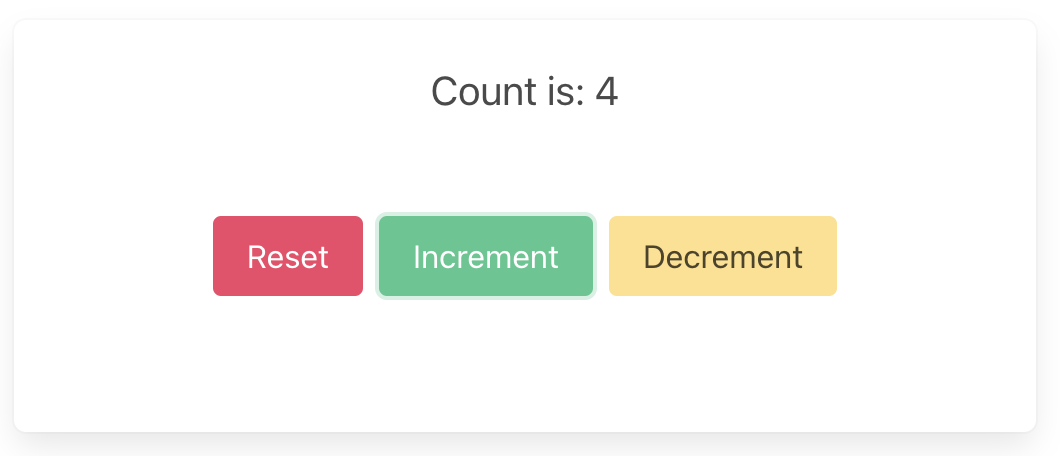
The frontend listens for render events from the backend and updates the UI.
User interactions invoke Tauri commands, which run in the Rust backend.
import { useEffect, useState } from "react";
import { invoke } from "@tauri-apps/api/core";
import { listen, UnlistenFn } from "@tauri-apps/api/event";

type ViewModel = {
  count: string;
};

const initialState: ViewModel = {
  count: "",
};

function App() {
  const [view, setView] = useState(initialState);

  useEffect(() => {
    let unlistenToRender: UnlistenFn;

    listen<ViewModel>("render", (event) => {
      setView(event.payload);
    }).then((unlisten) => {
      unlistenToRender = unlisten;
    });

    // trigger initial render
    invoke("reset");

    return () => {
      unlistenToRender?.();
    };
  }, []);

  return (
    <main>
      <section className="section has-text-centered">
        <p className="title">Crux Counter Example</p>
        <p className="is-size-5">Rust Core, Rust Shell (Tauri + React)</p>
      </section>
      <section className="container has-text-centered">
        <p className="is-size-5">{view.count}</p>
        <div className="buttons section is-centered">
          <button
            className="button is-primary is-danger"
            onClick={() => invoke("reset")}
          >
            {"Reset"}
          </button>
          <button
            className="button is-primary is-success"
            onClick={() => invoke("increment")}
          >
            {"Increment"}
          </button>
          <button
            className="button is-primary is-warning"
            onClick={() => invoke("decrement")}
          >
            {"Decrement"}
          </button>
        </div>
      </section>
    </main>
  );
}

export default App;
The frontend is straightforward:
- On mount, we call
listen("render", ...)to receive view model updates from the backend, and invokeresetto trigger an initial render. - Button clicks call
invoke("increment"),invoke("decrement"), etc. — these are the Tauri commands defined in our Rust backend. - There is no serialization code in the frontend — Tauri handles the
serialization of the
ViewModelstruct automatically.
Build and run
cargo tauri dev